

Key takeaways
- Contact center automation is the end-to-end use of AI, analytics, and workflows to handle interactions and augment agents, not a chatbot bolt-on.
- Automation works best when routine, high-volume requests are routed away from agents so humans focus on complex, high-value conversations.
- Voice-based automation depends on testing before deployment and monitoring after deployment, not just model quality at launch.
- Evaluate automation vendors against a concrete decision framework covering data grounding, actions, testing, and integrations rather than marketing claims.
- Platforms like Persistence connect voice agents to existing CRM and support tools so automated conversations produce the same operational data as human ones.
What contact center automation actually means
Contact center automation is widely misunderstood as a single chatbot bolted onto a support page. As Sprinklr’s implementation guide puts it, contact center automation is the end-to-end use of AI, analytics, and automated workflows to handle customer interactions, augment agent performance, and streamline operations at scale, and it is explicitly not about eliminating human agents but about intelligently distributing work between machines and people (sprinklr.com). IBM frames it similarly: automation refers to AI-powered technology that handles routine customer service processes and repetitive tasks so human agents can work more efficiently and be available for complex problems (ibm.com). Salesforce adds the mechanics: automated systems understand requests, retrieve information, and either resolve issues independently or escalate them when additional expertise is needed (salesforce.com). Put together, these definitions point to a layered system, not a single tool. Routine, high-volume, well-defined requests (password resets, appointment scheduling, order status, basic troubleshooting) get automated end to end. Ambiguous, emotionally charged, or high-stakes requests get routed to a human, ideally with full context already gathered by the automated layer. The operational question for a CX leader isn’t whether to automate, but which slice of volume is genuinely appropriate to automate first, and how to measure whether that slice is actually improving outcomes rather than just deflecting calls. Learn more about deploying AI voice agents to phone numbers. Source: reference. Source: reference. Source: Contact Center Automation: Benefits, Tools & Best Practices.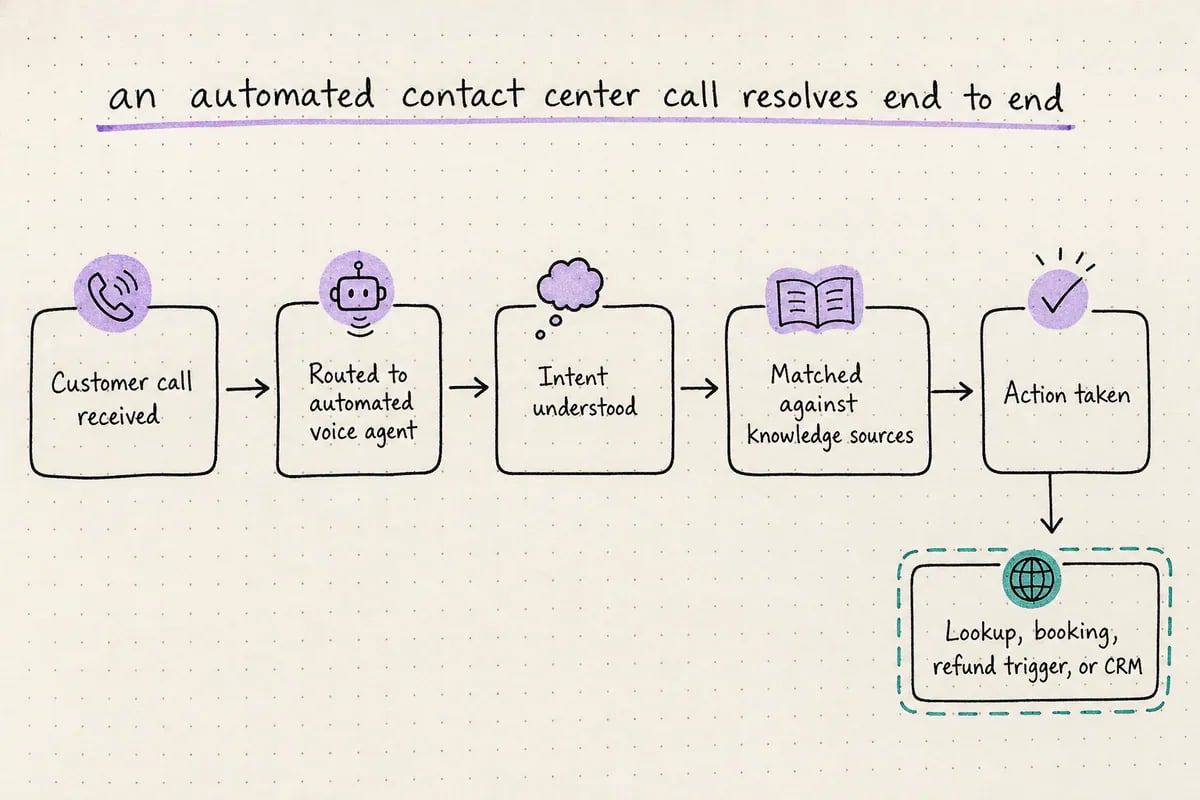
Contact center automation succeeds when the automated layer resolves routine requests and cleanly hands off the rest.
Where automation changes measurable outcomes
The point of automation isn’t volume handled, it’s outcomes changed. TTEC’s guidance is that the most important best practice is balancing core service goals and KPIs with automation, continually improving customer experience and operational efficiency together rather than optimizing automation in isolation (ttec.com). That means the outcomes worth tracking are the same ones contact centers already track: first-contact resolution, average handle time, abandonment rate, CSAT, and cost per contact, measured before and after automation touches a workflow, not a separate ‘automation success’ metric invented after the fact. Synthflow’s research on the category notes that a large share of contact centers see automation increasing agentless interactions, i.e. resolving requests without any human agent touching them at all (synthflow.ai), which is a meaningful outcome only if resolution quality holds. An automated call that resolves an issue with no agent involved and no repeat contact is a genuine win; an automated call that resolves nothing and forces a callback is a cost shifted, not saved. This is why any serious automation rollout needs a before/after comparison on a narrow, well-defined workflow (e.g., appointment rescheduling) rather than a broad claim that ‘automation improved CX.’ Voice-specific automation adds another layer: since the customer is speaking rather than clicking, the agent must handle real-time speech accurately, take real actions like booking or lookup, and hand off cleanly when it’s out of its depth.Building and testing a voice automation workflow
Voice is the hardest channel to automate well because there’s no fallback UI, the interaction has to work in real time or the customer hangs up. This is where implementation details matter more than category definitions. Persistence lets teams build AI voice agents using their own data and deploy them to phone numbers, using either visual or prompt-based agent building along with knowledge sources and actions (persistence.dev). That structure maps directly onto the automation definitions above: knowledge sources ground the agent in the contact center’s actual policies and account data, and actions let the agent do more than answer questions, it can look things up, schedule, or trigger a workflow. Critically, Persistence provides simulated-call testing before deployment and operational monitoring after deployment (persistence.dev/feature), which addresses the biggest operational risk in voice automation: an agent that sounds fine in a demo but fails on real customer phrasing, accents, or edge cases at scale. Testing before go-live and monitoring after go-live are not optional extras, they’re the mechanism by which a team catches failure modes before customers do, and catches drift after launch when call patterns change. Teams evaluating any voice automation vendor, not only Persistence, should ask specifically how pre-deployment testing works and what monitoring surfaces once agents are live handling real calls.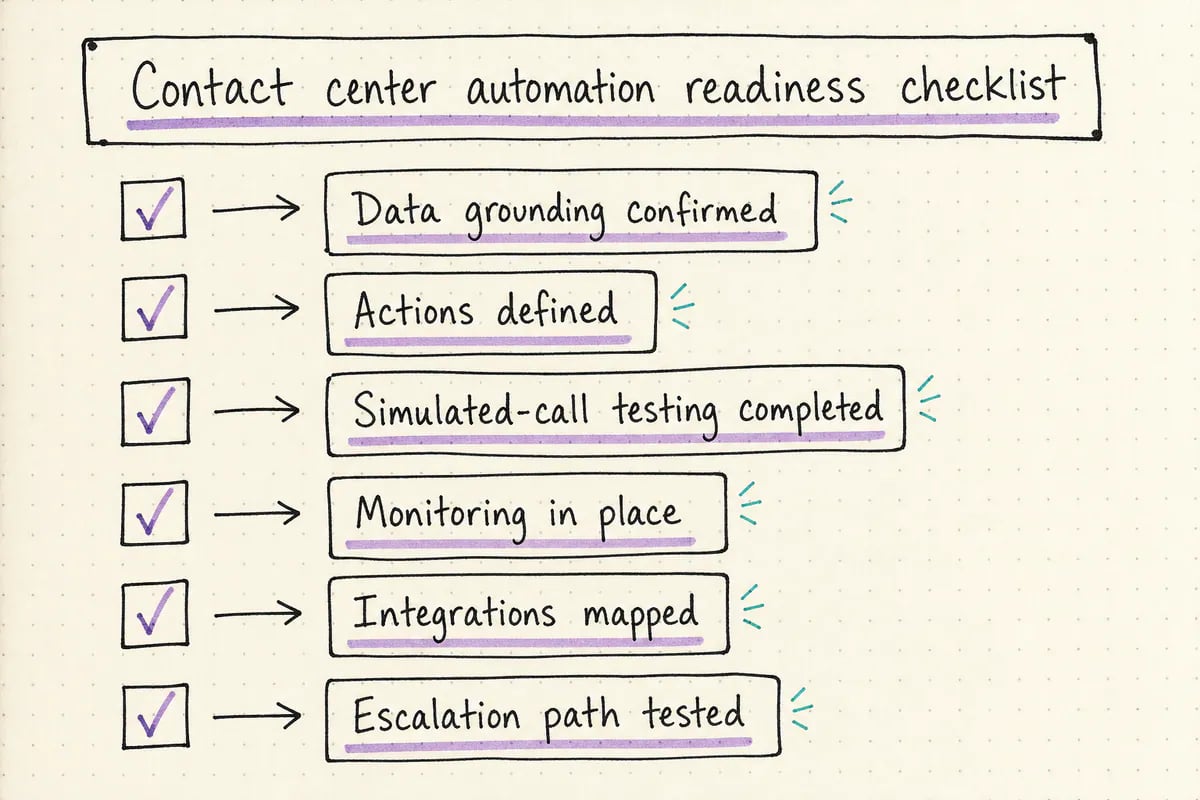
Use this checklist alongside the readiness table before rolling automation out to live customer volume.
Connecting automation to the rest of the stack
Automation that lives in isolation from CRM, ticketing, and scheduling tools creates more manual work than it saves, because agents still have to manually reconcile what the automated system did. Persistence supports managed phone numbers and customer SIP trunking, and publicly lists integrations including Twilio, HubSpot, Zendesk, Calendly, Salesforce, Zapier, Intercom, Google Sheets, Stripe, and Shopify (persistence.dev). That integration list matters operationally: a voice agent that books into Calendly, logs into Salesforce, or updates a Zendesk ticket produces the same downstream record a human agent would, which is what allows contact center leaders to measure automated interactions with the same KPIs as human-handled ones, rather than maintaining a separate reporting silo for ‘the bot.’ Salesforce’s own framing of automated workflows retrieving information and escalating when needed only works in practice if the retrieval and escalation touch real systems of record, not a disconnected knowledge base (salesforce.com). Before adopting any automation platform, contact center operators should map every action the automated agent needs to take back to a specific system integration, and confirm the escalation path hands off with full context, not just a transferred call. The readiness table in this guide can serve as that mapping exercise.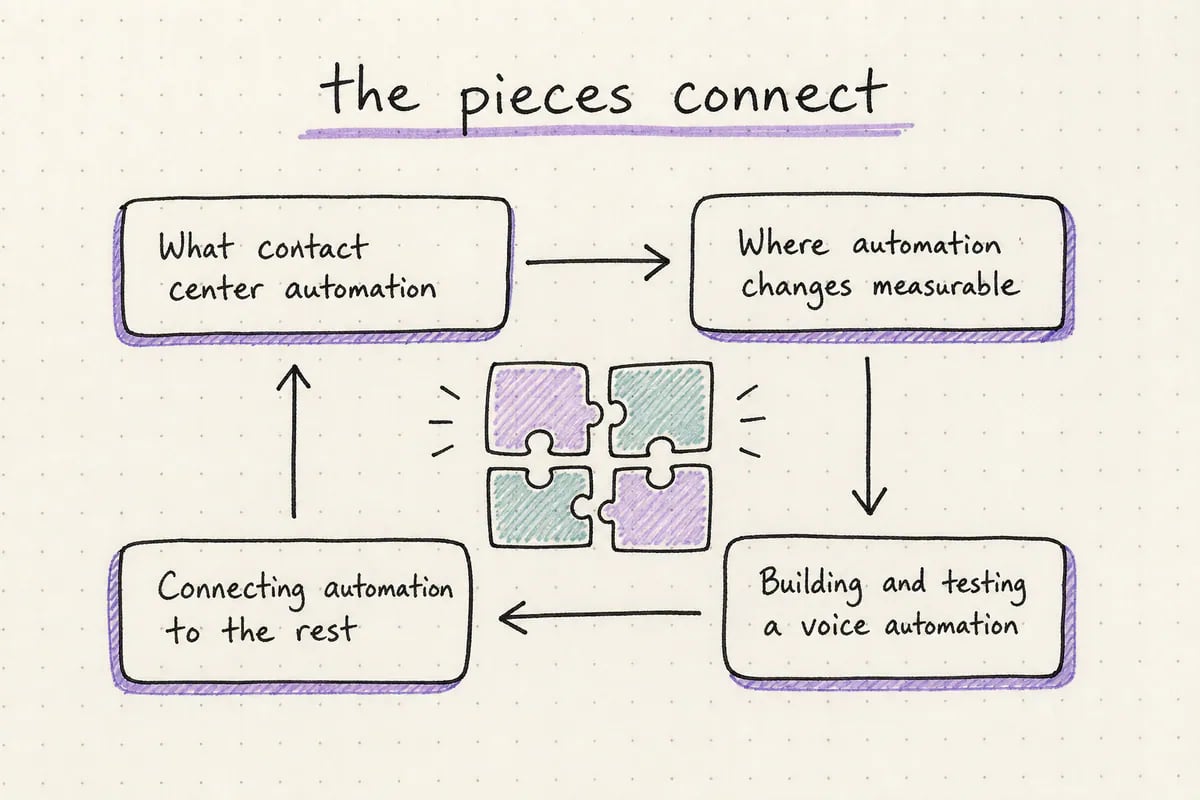
The core ideas and how they connect.
Related resources
Continue exploring with Explore Persistence solutions.Frequently asked questions
Is contact center automation the same as a chatbot?
Is contact center automation the same as a chatbot?
No. As Sprinklr’s guide notes, contact center automation is the end-to-end use of AI, analytics, and automated workflows across interactions and agent operations, not a single chatbot or a wholesale replacement of human agents (sprinklr.com).
How do you measure whether contact center automation is working?
How do you measure whether contact center automation is working?
Track the same KPIs already used in the contact center, first-contact resolution, handle time, abandonment, and CSAT, comparing a specific automated workflow before and after rollout rather than inventing a separate automation metric.
What should be tested before deploying a voice automation agent?
What should be tested before deploying a voice automation agent?
At minimum, simulated calls covering common phrasing, edge cases, and escalation triggers should be tested before go-live, with monitoring in place afterward to catch failures and drift once the agent is handling real customer calls.
Try Persistence
Build reliable voice AI with Persistence
Design, test, and deploy production-ready voice agents.